How to Play Zelda: Ocarina of Time (Switch 2) on Mac
Find the right v131072 NUP, check it before building, and make a native Apple Silicon app.
I wanted to run the Switch 2 remake of Ocarina of Time on my Mac. The kid-with-sword-remake project (built on nxnative) isn't an emulator, it runs the game's ARM64 code directly on Apple Silicon and compiles its shaders ahead of time to Metal 4, so it runs at a native 60 fps. Its README tells you how to build the app, though I spent more time working out which game file to give it.
I gave Devin a screenshot of a Reddit comment with a link written in Base64. It found the original comment, copied the actual text instead of guessing characters from the screenshot, and decoded it. The link worked. Then it followed a reply about three broken textures to a GitHub issue. Same three filenames, same sizes. Someone had already tried building the Mac app with those files. It ran, slowed down and crashed.
Before you start
Make sure your Mac meets the build requirements before downloading 25.6 GB:
- Apple Silicon Mac (no Intel). 16 GB RAM minimum, though 32 GB+ or a Pro/Max chip makes 60 fps easy.
- macOS 26.6 or later, Xcode 27.2 selected (
sudo xcode-select -s /Applications/Xcode.app), and the Metal Toolchain (xcodebuild -downloadComponent MetalToolchain). The Metal Toolchain is easy to miss, my build failed on it until we downloaded it. - Around 100 GB of free disk space during the first build (my run used 25.6 GB for the
.nup, 54 GB for the work folder, and 34.3 GB for the final.app, though the.appuses APFS clones on the same disk so it barely adds extra space until you delete the work folder).
If you'd rather not touch Terminal, community GUI wrappers like NX2Apple automate nxnative builds in a desktop window. I built directly from kid-with-sword-remake's L branch because it has the latest Ocarina of Time fixes (memory management, texture handling, MetalFX frame generation).
Search for the title ID, not just the name
The input is the Switch 2 remake, title ID 0400486024DEC000, with the base game and update v131072. The L branch takes one decrypted .nup directly. You don't need prod.keys or a separate extraction step. The original N64 game and Ship of Harkinian are different projects.
I'm not linking to game downloads here, just noting what to search for and how to verify your own copy. Search for "0400486024DEC000" "v131072" "nup". Searching the full game name on its own kept turning up stuff for the N64 game and Windows repacks. Listings for this exact package show up on places like Internet Archive, Buzzheavier, BlueRoms, and Switch directories listed on FMHY (such as NXBrew and ROMSLAB), though some cards say V1.0 and don't actually include update v131072, and some direct hosts show 23.9 GB (which is about 25.6 GB in decimal units). Go by the exact byte count and SHA-256 below, not the rounded label or the title on the page.
Check the file before building
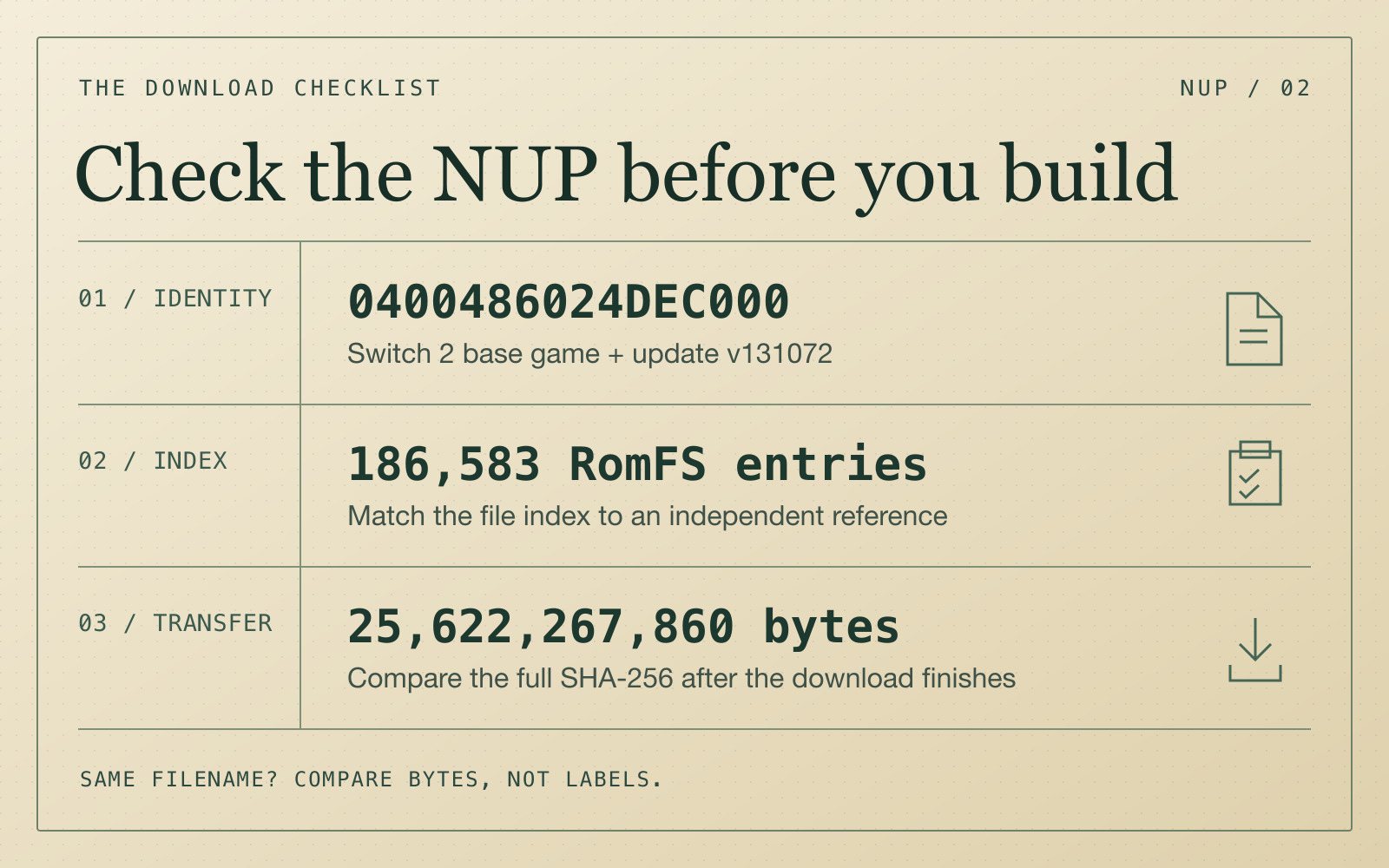
The verified copy is 25,622,267,860 bytes. We checked the header and file index against MacNativeGames' reference for all 186,583 update RomFS entries by path, size and hash prefix, including the three textures the broken dump got wrong. The five update ExeFS hashes matched too.
After you have the local file, check the whole thing. On Mac, type shasum -a 256 followed by a space in Terminal, drag in the .nup and press Return. A verified v131072 NUP matches this SHA-256:
85b08e81a2a08612f88de1063c8581fe088f7554303aa1ff207972d729b5916f
A match means you have those exact bytes. You only need the .nup, so skip any bundled .exe, .app, .pkg, HTML files or random download managers. Get the app builder and torrent client from their own project sites. If the hash differs, don't assume it's the same copy. If the builder names broken .zs files, --allow-damaged won't repair them.
We verified the file, built the full Mac app from it, and played it at a locked 60 fps.
Download speed notes
A single browser download from Internet Archive was doing 0.22 MB/s, while pulling the verified package over BitTorrent in Transmission did 9-15 MB/s because it could grab pieces from dozens of peers at once. qBittorrent is another option on Apple Silicon. If you want to keep your home IP out of the peer list, use a VPN that supports BitTorrent from before you connect (Cloudflare 1.1.1.1 in DNS-only mode doesn't do that).
Build the Mac app
Follow the project's toolchain setup and env.txt instructions (Xcode 27.2, Metal Toolchain, xcodegen, zstd, glslang, and the Python packages). The Mac target doesn't need Xcode's iOS platform.
From the repo folder, replace the example path with your .nup. Pass --work-dir so the 54 GB of build files go into a separate folder instead of next to your .nup (that way Transmission can keep seeding untouched if you're using it):
python3 scripts/build_ipa_from_nsp.py "/path/to/Ocarina of Time.nup" \
  --platform mac-app --package v131072 --env-file env.txt \
  --work-dir "$HOME/Games/Ocarina of Time Mac Build" \
  -o "$HOME/Applications/Kid with Sword Remake.app"
On an M5 Max (64 GB RAM, macOS 27.3, Xcode 27.2), the full first build took 48.5 minutes (expect 1.5 to 3 hours on M1 through M4). Two stages look frozen even when they're working fine, so don't kill the terminal:
- Mac shaders (25m 44s for all 42,848 shaders): it sits at
99%, ETA 0:00for about 90 seconds at the end while wrapping up. - Pipeline archive (16m 00s, 4.4 GB): it prints only an elapsed timer with no percentage bar.
If you just want to verify it boots before waiting an hour, pass --seen-shaders to compile only the 7,278 playtested shaders in a few minutes (areas outside those playtests will look incomplete until you do a full compile).
After it finishes, keep the work folder if you want 2-minute rebuilds when kid-with-sword-remake updates. If you want your 54 GB back, once the .app opens fine you can delete the work folder and the app keeps running on its own (around 34 GB).
First launch, controls, and Mac settings
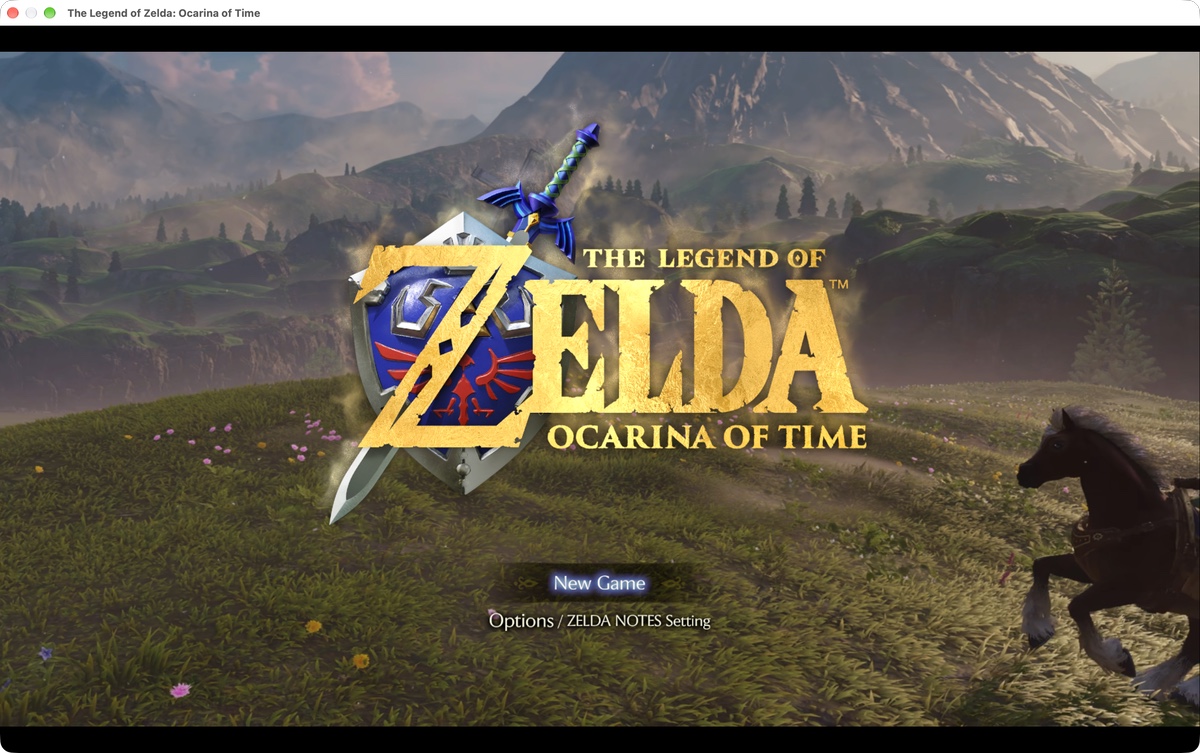
The Mac keyboard controls aren't in the repo's docs (they live in dm/host/front_mac.m). The biggest trap on first launch is hitting Return on "New Game" and wondering why nothing happens: Return is mapped to Switch + (Start), not A.
J= A (Confirm / select New Game)K= B (Back / cancel)U/I= X / YW A S D= Left Stick- Arrow keys = D-Pad
- Shift + Arrow keys = Right Stick (camera)
Return/Tab=+(Start) /-(Select)Q/E/Z/C= L / R / ZL / ZRF/G= L3 / R3 (stick press),Space= Shake
Xbox, DualSense, DualShock 4, and Switch Pro Controllers work natively. Switch 2 Joy-Con 2 and Pro Controller 2 pair over Bluetooth LE inside the game once you turn on Switch 2 controllers in All Settings (hold Home for 2 seconds to quit).
By default, the launcher boots in Switch Handheld mode (DM_OPMODE=0, rendering 1080p into a 1440p window). Press ⌘, in the launcher (or hold Option while opening the app if you hid the launcher) and switch Console Mode to Docked (DM_OPMODE=1) for sharper visuals on Mac.
- Pro / Max / Ultra Macs: Docked mode, Render Scale
1.0,60 fps, Dynamic Resolution off, Game's Upscaler set to MetalFX. On my M5 Max this held a flat 60.0 fps (16.67 msframe time). - 16 GB Macs or fanless Airs: people on r/macgaming get smoother results at
30 fpswith Frame Generation on (or Render Scale0.75) so it doesn't throttle down to 15-20 fps after the intro.
One cool extra in the launcher: turning on Ocarina Mic lets you hum or whistle ocarina songs into your MacBook microphone.
Where files live and common issues
- Saves:
~/Library/Application Support/nxnative/0400486024DEC000/ - Logs:
~/Library/Logs/nxnative/0400486024DEC000.log(attach this if you ask for help on GitHub) - Black screen, audio only, or crashing in Kokiri Forest after updating: the shader chain changed, rebuild shaders from the latest
Lbranch. - Glitchy floor or water reflections after area transitions: known minor bug, restarting the app clears it.
- macOS blocks the app (if copied to another Mac): System Settings -> Privacy & Security -> Open Anyway.
If you're doing this for another game
Start with the app you intend to use. For another Switch 2 title on Apple Silicon, check NX2Apple's game compatibility list and the game's profile first. Write down the title ID, update and format the Mac project expects before doing anything else.
For older consoles, keep platform and revision straight (N64 Ocarina of Time, GameCube Master Quest, and Ocarina of Time 3D are all completely different releases from this Switch 2 .nup). For hash checks, No-Intro catalogs revisions and hashes for many cartridge and digital releases, and Redump does that for discs. Compare the same region, revision and format. For a newer container like a Switch 2 NUP, the port's own profile or a published file manifest is more useful.
You can copy this whole post into your agent. Give it the game, platform, Mac app you're aiming for, and the local file path if you have one. Ask it: "Find the supported title ID, update and input format from the project docs. Check the file size and SHA-256 without running anything. Check my Mac against the build requirements (including Xcode's Metal Toolchain), put the build files in a separate --work-dir so seeding isn't affected, run the Mac app build, and verify it launches."